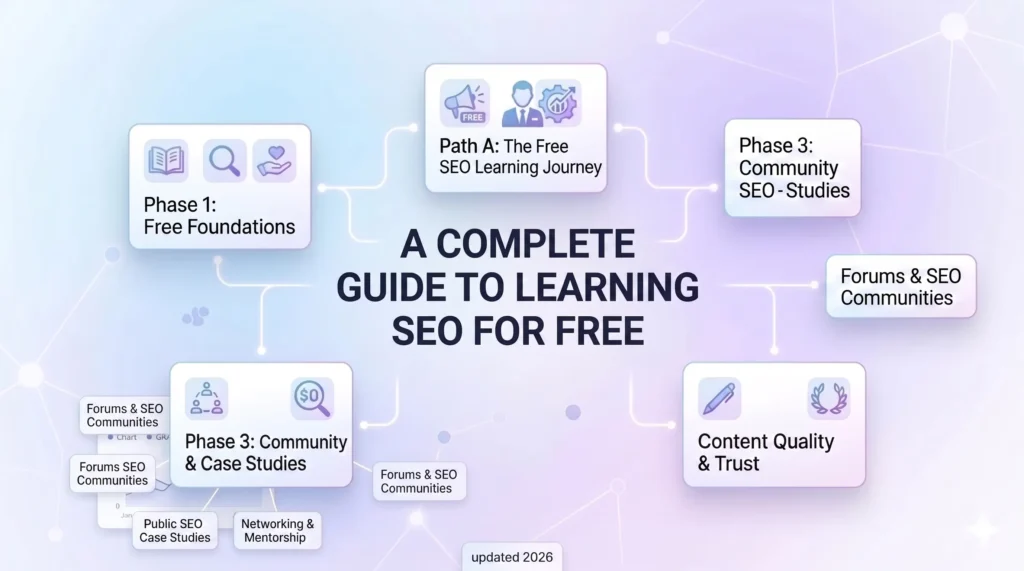
In order to learn SEO for free without wasting time, start with Google’s SEO Starter Guide and HubSpot’s free SEO certification, then set up a practice website/blog on WordPress, and apply each concept hands-on using free tools such as Google Search Console, Ahrefs, and Screaming Frog’s free tier. Try to avoid spending weeks on paid courses or certifications from unknown, non-credible platforms before you have hands-on practice. The fastest path to a successful SEO career is learning one concept, applying it on a real site, and tracking the performance.
Why Most Free SEO Learning Wastes Your Time
This is one common mistake most beginners make while charting out their career in SEO. They tend to overemphasize consuming the free resources available on YouTube or enrolling in free certifications. There’s nothing wrong with it; however, SEO is a skill set that demands regular hands-on practice on real websites.
Each learning session must be supported by a specific goal. Besides being a practical domain, SEO is also one of those skills that requires a lot of experimentation and trial and error for you to see what is working and what is not. Hence, learn one concept, apply it immediately, measure its impact, and then move to the next.
As a Beginner, What You Actually Need to Learn (And What You Don’t – Yet)
Start off by learning the below key aspects first:
- Keyword Research: Brainstorming and listing out the search terms or queries your target audience is likely to look for while trying to discover your website.
- On-page SEO: Optimizing the content of your webpage to make it more discoverable by search engines and attract a higher number of clicks.
- Technical SEO basics: Learn the concepts of indexing, crawlability, and site speed. The foundation of the website must be strong before you start publishing content.
- Content Strategy: Learn about the ‘Hub & Spoke’ model and how interconnected cluster content links to pillar content belonging to the same theme.
What skills can you postpone for later?
Link Building: Most people still tend to overfocus on link-building campaigns and guest posting. As someone who’s just starting out, you can learn this later once you have a solid content base worth linking to.
Local SEO: Learning local SEO is only relevant if you have a geographical entity or work with local business clients. This must not be a priority for beginners.
Programmatic SEO: This is an advanced level of SEO and requires good domain authority and strong development resources.
International SEO: his comes into play when you’re required to do SEO for a multi-regional site. This is again an enterprise-level skill that comes at a much later stage.
Skip the below learning resources entirely:
- Paid certifications from local, no reputed Indian EdTech platforms
- YT channels offering cheap hacks such as “Rank #1 in 30 days”
- Black-hat SEO forums and groups: Stay away from these as they are outdated, and provide zero value.
The Free Learning Path – In Exact Sequence
In order to build a career in SEO, follow the below learning path in the exact sequence.
Step 1: Understand how Google works
Focus on learning the mechanism of how Google bots crawl, index, and rank the pages within a website. Read the official Google documentation and gain clarity on search engine bot behavior before you decide to touch any tool. Check out the links below:
Google Search Central — How Google Search Works
Google SEO Starter Guide (cover to cover)
Step 2: Complete one structured free certification
To start with, you can enroll in a free certification course by HubSpot. It is well-structured and globally recognized. The course covers concepts like keyword research, on-page SEO, and content strategy in a logical sequence. Don’t forget to take notes, as you’ll need them when you build your practice site. Skip Semrush Academy and Ahrefs Academy at this stage; they’re useful later but are too tool-specific for beginners.
Step 3: Set up your practice site/portfolio
This is one of the most important things to do while you’re trying to learn SEO for free.
- Buy a domain (₹500–700 from platforms like Namecheap or GoDaddy) and hosting (~₹1,500–2,500/year on Hostinger)
- Install WordPress and choose the Astra or GeneratePress free theme
- Install the Yoast SEO free plugin
- Connect Google Search Console and GA4 before publishing anything for easy tracking
- Pick a niche you’re genuinely interested in — cricket analysis, personal finance, tech reviews, food, etc. Pick a niche of your interest, as you’ll be publishing regularly for 3–6 months.
- This site is your SEO testing ground. Every concept you learn gets tested here first.
Step 4: Learn keyword research and apply it immediately
Keyword research refers to looking for the search phrases or queries your target audience is most likely to search for in order to land on your website. In order to enhance your understanding, read the blog below:
Ahrefs’ Beginner’s Guide to Keyword Research (free)
Second, use a free tool like Ahrefs Free Keyword Generator to generate keyword ideas for your niche (10–15 low-competition keywords). Map each keyword to a dedicated page on your website. Note the intent of the page as well (informational, commercial, transactional).
Step 5: Learn on-page SEO and publish your first 5 posts
On-page SEO comprises those elements that form a part of your webpage content and are directly within your control. Learn about on-page SEO here.
Start writing and publishing posts targeting your decided keyword list (one keyword mapped to one page). Each post must have: a correct title tag, structured H2s, internal links to at least one other post, and natural keyword placement within the first 150 words. Track each post in Google Search Console from day one.
Step 6: Learn technical SEO basics (3-4 hours)
Technical SEO forms the backbone of your entire website and ensures that all the important pages are getting crawled and indexed by Google. Learn more about crawling and indexing from the Google Search Central documentation.
- Use tools such as Screaming Frog to run a full crawl over your website. (Free tier plan allows to crawl upto 500 URL’s)
- Page Speed Insights to check Core Web Vitals score on your homepage
- Fix any technical issues you find, such as broken links, missing title tags, or slow-loading pages.
The goal here is to understand how Googlebot behaves when it crawls your site.
Step 7: Learn content strategy and build your first cluster (ongoing)
Having a solid content strategy forms the backbone of your entire SEO campaign. Learn about the concepts of pillar content and cluster content in order to build topical authority for your content. Read Ahref Guide to Topic Clusters
Then proceed with planning a 5-post cluster around your best-performing topic (1 pillar post, 4 cluster posts, and an internal linking map). Link every cluster content post back to the pillar post and vice versa. This reinforces your thematic authority from the search engine’s standpoint. Learning about content strategy has become even more important now when you have to optimize not just for Google, but also for other AI/LLM tools.
Free Tools – Only the Ones You Actually Need
During the early stages of your career, learn only those free tools you actually need.
| Tool | What It’s For | When to Use It |
| Google Search Console | Indexing, impressions, keyword data, Core Web Vitals | From Day 1 — set up before publishing |
| Google Analytics 4 (GA4) | Traffic sources, user behaviour, conversions | From Day 1 — alongside GSC |
| Ahrefs Free Keyword Generator | Keyword research for low-competition opportunities | Step 4 onwards |
| Ahrefs Webmaster Tools | Backlink data and keyword rankings for your own site | Once your site has content live |
| Screaming Frog (free, 500 URLs) | Technical crawl — broken links, missing tags, redirect issues | Step 6 onwards |
| PageSpeed Insights | Core Web Vitals check per URL | Step 6 onwards |
| Yoast SEO (WordPress plugin) | On-page checklist, meta tag management | From Day 1 on your practice site |
| Google Rich Results Test | Validate schema markup implementation | Once you add FAQ schema to posts |
The One Thing That Separates Self-Taught SEOs Who Get Hired From Those Who Don’t
Everyone who learns SEO for free has access to the same resources and learning guides. However, what separates the ones who get hired is the documented evidence that they’ve applied what they learned. Two Google Search Console screenshots showing keyword movement will outperform five certifications in any interview.
The portfolio you build demonstrates that you have applied SEO to real-life projects and have not just relied on theoretical learning.
Frequently Asked Questions
Q. Can I learn SEO for free in India?
A. Yes — and most working SEO professionals in India did exactly that. Google’s SEO Starter Guide, HubSpot’s free certification, and tools like Google Search Console and Ahrefs Webmaster Tools cover everything you need at the beginner stage. The only real cost is a practice website — domain and hosting combined run roughly ₹2,000–3,000 per year.
Q. How long does it take to learn SEO for free?
A. With 1–2 hours of daily effort, you can become job-ready in 5–6 months, learning and setup takes place in Month 1–2, practice on a real site in Month 3–4, portfolio building in Month 5–6. Becoming genuinely skilled takes 12–18 months. The timeline depends less on resources and more on how consistently you apply what you learn.
Q. Which is the best free SEO course for beginners?
A. HubSpot’s free SEO Certification – well-structured, globally recognised, and covers keyword research, on-page SEO, and content strategy in a logical sequence. Follow it with Google’s GA4 Certification. Both are free and take less than a day combined to complete.
Q. Do I need a website to learn SEO?
A. Yes – eventually. You can spend the first 2–3 weeks reading guides, but without a real site to apply concepts on, learning falls quickly. A WordPress practice site costs ₹2,000–3,000 per year and is the single most important investment you can make in your SEO training.
Q. Can I get an SEO job without a paid course?
A. Absolutely. No employer asks which course you completed , they ask what results you’ve produced. Two GSC screenshots showing keyword movement will outweigh five paid certifications in any interview. A portfolio with documented results from a practice site and one or two free projects is what actually gets you hired.
Q. What is the fastest way to learn SEO?
A. The fastest way is to build a practice site, publish optimised content targeting low-competition keywords, and track everything in Google Search Console. The feedback loop of publishing, observing, and experimentation teaches you more in 60 days than any course covers in 10 hours. Read one free guide per concept before applying it – that combination moves faster than consuming resources without executing.

Rahul Bajaj is an SEO strategy consultant with 6+ years of experience helping SaaS companies, startups, and enterprise brands grow organic revenue. He has worked across industries including cybersecurity, medical, automotive, SaaS, real estate, ed-tech, and sustainability brands, delivering 170%+ organic monthly traffic growth, 200%+ YoY organic growth, and 120+ AI visibility snippet wins for his clients. His expertise includes technical SEO, search-intent-driven content strategy, and AI search optimization. He writes on SEO strategy, digital marketing careers, and organic growth at Grow Digital Career.