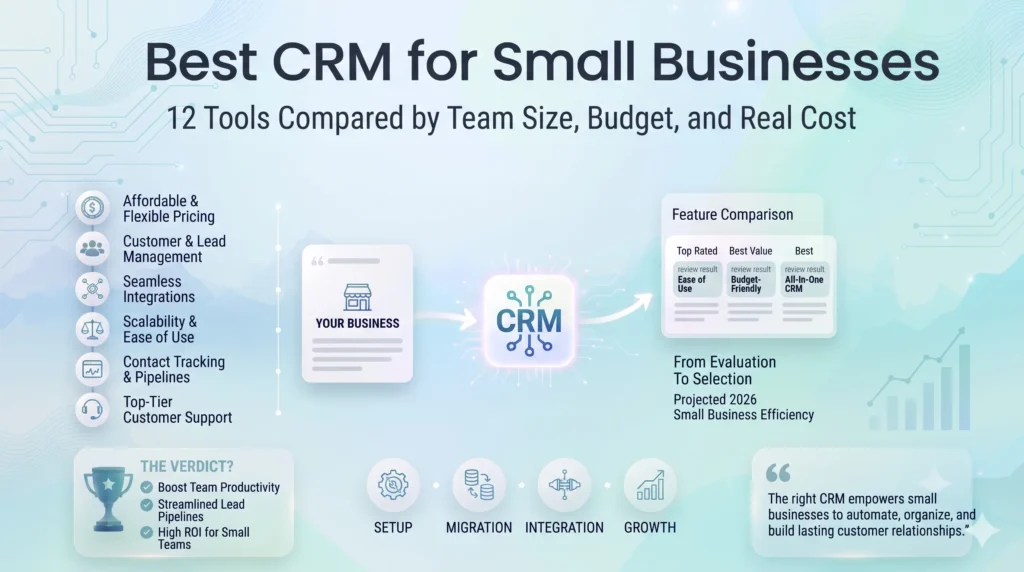
For most small businesses and growing teams, HubSpot CRM remains the best choice because of its free plan and scalability. If you’re looking for more features at a lower per-user cost, Zoho CRM is a better fit. Solo operators, for instance, can get started with Zoho Bigin, while Pipedrive is ideal for sales teams that rely heavily on pipeline management. Finally, businesses that sell primarily through WhatsApp or chat should consider Kommo.
CRM Tools Comparison table
| Tool | Best for | Starting price (per user/mo) | Free plan | Cost at 5 users (entry tier) | Main limitation |
|---|---|---|---|---|---|
| HubSpot CRM | Most small teams; inbound-led growth | $20 (Starter) | Yes (up to 2 users, 1,000 contacts) | ~$100/mo | Costs rise as you add more features |
| Zoho CRM | Premium features at a lower price; scaling | $14 per user per month (billed annually) | Yes | ~$70/mo | Slightly cluttered interface |
| Kommo | Chat and WhatsApp-led sales | $25 (6-month commitment) | Trial only | ~$125/mo | Limited task management |
| monday CRM | Customizable, flexible setups | $12 (3-seat minimum) | No free plan | ~$60/mo | AI credits cost extra |
| Flowlu | Service businesses needing invoicing and projects | $9 billed annually – Essential | Yes (up to 2 users) | ~$45/mo | Weak native AI |
| Vtiger | Product-based enterprises; all-in-one | $12 per month (Growth) | Yes (One Pilot) | ~$60/mo | Complex interface |
| folk | Simple contact lists and preferring personalized outreach | $24 per user per month (billed annually) | 14-day free trial | ~$120/mo | No mobile app configuration |
| Clarify | AI-native, low-admin CRM | starts free at $0 per month | Yes | $50/mo flat | Credit model makes costs harder to predict |
| Pipedrive | Pipeline-heavy sales teams | $14 per user, per month (billed annually) | 14-day free trial | $70/month | inflexible data model |
| Freshsales | Budget-friendly all-rounder | $0 for up to 3 users; paid plans start at $9 per user | yes, user limit 3 users | $45/user | Pipeline limits |
| Zoho Bigin | Solo operators and micro-teams | $7 per user per month (billed annually) | Available for solo users and small businesses | $35/user | Strict functional and data caps |
| Salesforce Starter | Teams expecting to grow into Salesforce | $25 USD per user per month | 30-day free trial | $125/user | Lead and Contact Record Cap |
Best CRM for small businesses overall: HubSpot CRM
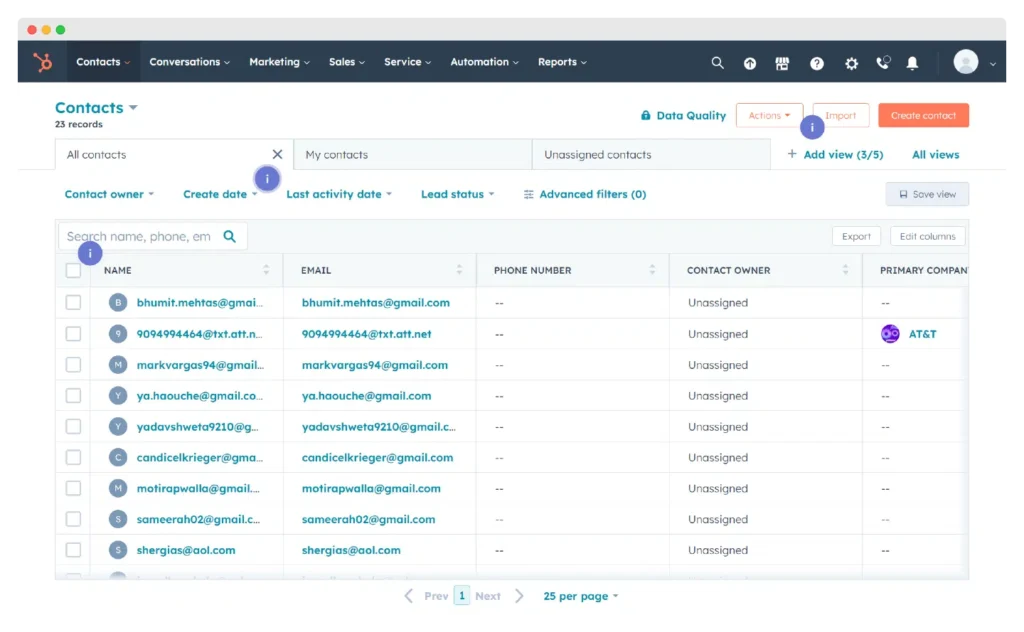
HubSpot CRM is the best all-around pick for the majority of small businesses. It comes with a free plan (allowing up to 2 users and 1,000 contacts). This plan is an umbrella plan covering contacts, deals, forms, email sequences, and meeting bookings, all in one place. The only caveat is that the cost rises quickly once you need more premium features.
Pricing: Free (up to 2 users, 1,000 contacts) · Starter $20/user/month
Pros: Full inbound funnel in one platform.
Cons: Costs rise sharply once you need premium features.
Best alternative: Zoho CRM, if you prefer more features at a lower cost
Skip it if: You have a limited budget to scale CRM capabilities
Best free CRM for small businesses: Clarify
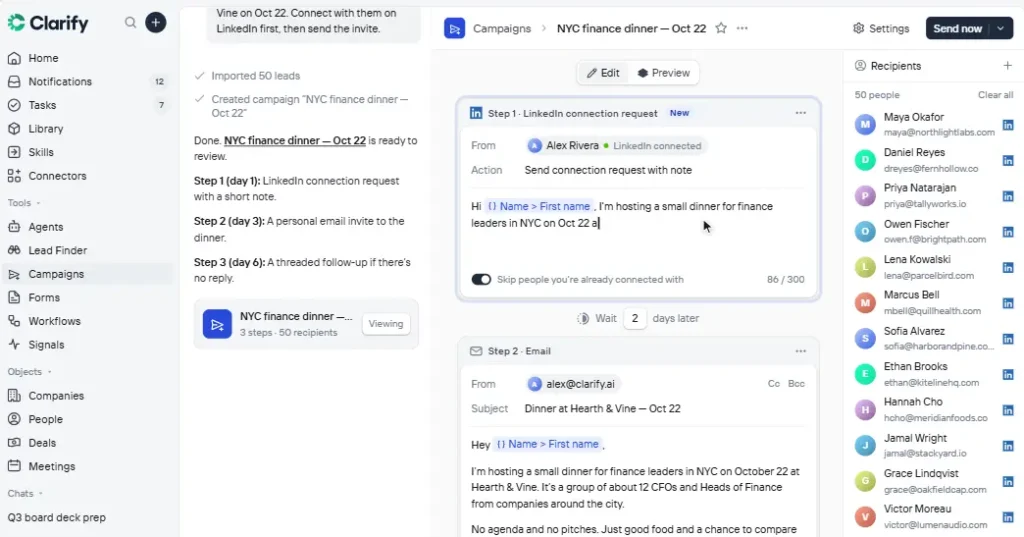
If you’re specifically looking for a free CRM, start with Hubspot’s free plan, or if you have a larger team, start with Clarify. Clarify’s free plan allows unlimited users but limits AI usage at 1,000 credits a month. Zoho CRM’s free plan covers up to 3 users, and Flowlu’s covers 2.
Pros: syncs email and calendar automatically, so there’s little manual data entry.
Cons: the credit model makes costs harder to predict than per-seat pricing.
Skip free plans if: you need automation, advanced reporting or more users. Those usually sit in paid tiers.
Best CRM for solopreneurs and freelancers: Zoho Bigin
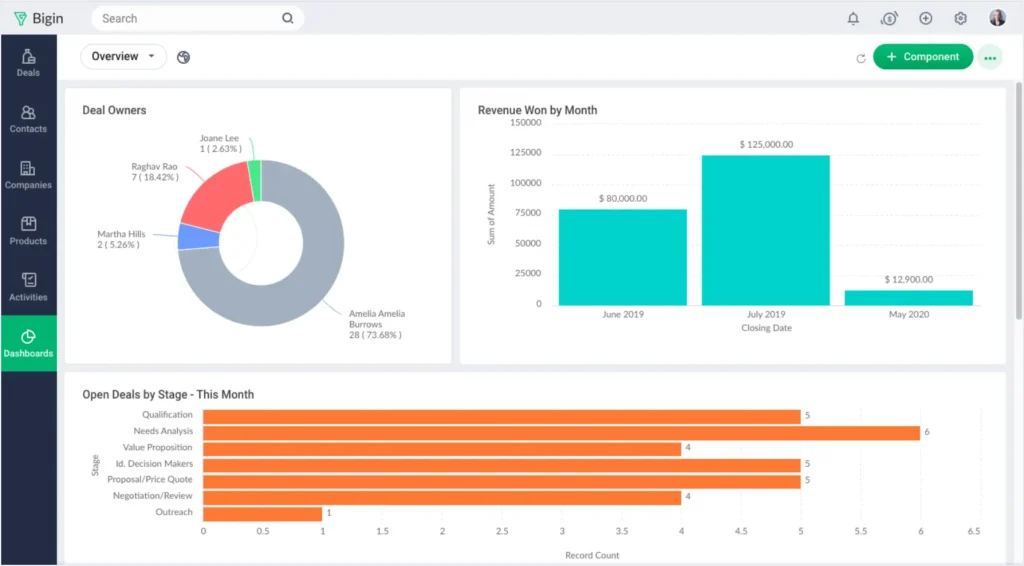
If you are a solo operator who wants a simple pipeline without enterprise clutter, choose Zoho Bigin.
Pricing: Express plan starting at $7 per user per month (billed annually)
Pros: pipeline, email integration, built-in calling and appointment scheduling.
Cons: Interface can sometimes feel cluttered, which slows onboarding for non-technical teams.
Alternatives: Flowlu’s free plan if you also invoice clients and track projects; Clarify’s free plan if you are heavily reliant on emails and calendar.
Skip it if you expect to hire a sales team within a year. Start with a CRM that scales instead of migrating later.
Best CRM for small sales teams (3-15 users): Pipedrive
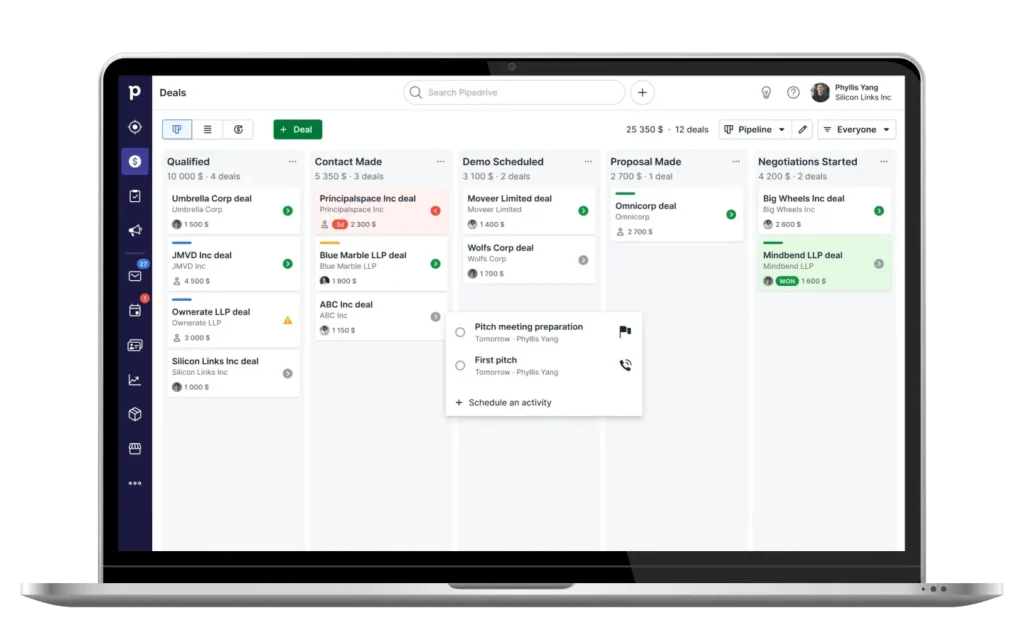
If you have a small team that needs a visual deal pipeline, pick Pipedrive.
Pricing: Lite plan starts at $14
Pros: It has a highly visual pipeline, which makes it suitable for small teams with simple sales processes.
Cons: Advanced reporting is limited.
Alternatives: Choose Zoho CRM Professional for automation, process management, and AI; HubSpot Starter if marketing and sales share one unified system.
Skip it if: most of your sales are inbound chat or WhatsApp conversations.
Best CRM for service businesses: Flowlu
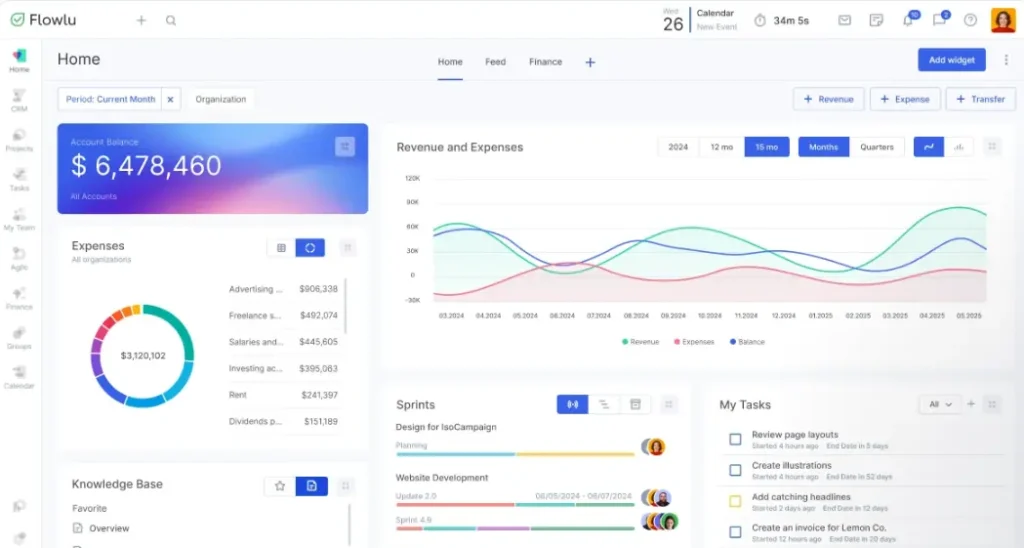
Flowlu best serves businesses that need CRM, projects, and invoicing in one centralized system. When a deal closes, it could trigger a project template. It also offers client portals, time tracking, and recurring invoices.
Pricing: Free (up to 2 users) · Essential $9/user/month · Advanced $17 (adds automation)
Pros: Built-in invoicing and finance
Cons: weak native AI
Alternative: Vtiger if you manage a product catalog or inventory; its learning curve is comparatively steeper.
Skip it if: you mainly focus on email outreach and prospecting rather than delivery and billing.
Best CRM with built-in email marketing: monday CRM
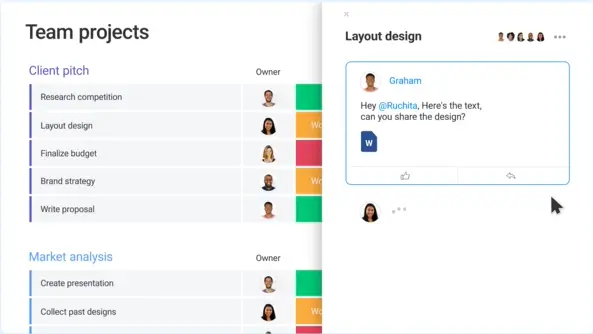
Zoho CRM and monday CRM both handle email marketing well. Zoho includes mass emails from its Standard plan while monday adds Campaigns, an AI-powered email tool within the CRM.
Pricing: Basic $12/user/month (31 workspace) · Growth $24 · Premium $49 (adds mass emails, sequences, automation)
Pros: Intuitive interface with an AI agent ecosystem.
Cons: AI credits cost extra
Alternative: HubSpot also covers forms, nurture emails and sequences, but pricing is on the higher side.
Skip it if: you already run a dedicated email platform. A simpler CRM plus an integration may cost less.
Best CRM for WhatsApp and chat-led sales: Kommo
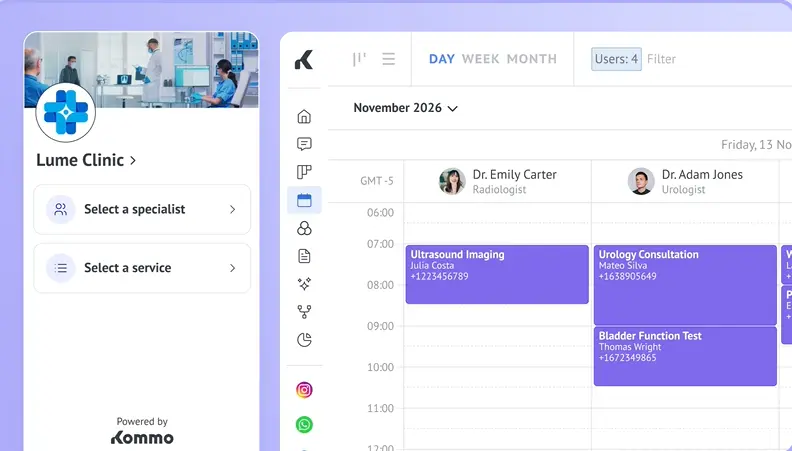
If most of your leads come through WhatsApp, Instagram, Facebook or Telegram, Kommo is the best fit. It pulls those conversations into one inbox. This is especially useful if your buyers message before they email; a chat-first CRM saves more time than an email-centered one.
Pros: multiple configurable pipelines and AI keyword detection.
Cons: limited task management.
Skip it if: your sales run on email and calls, or you need strong task tracking.
Best and cheapest CRM with good scaling capability: Zoho CRM
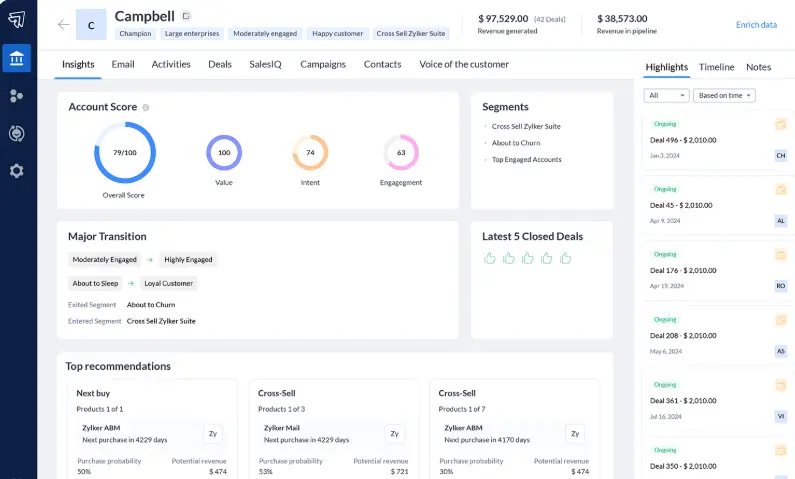
Zoho CRM is a strong pick if you want low cost with good scaling capabilities. It has a free plan for up to 3 users, and mass emails are included from Standard.
Pricing (annual / monthly, per user): Standard $14 / $20 · Professional $23 / $35 · Enterprise $40 / $50 · Ultimate $52 / $65
Pros: It has a wide feature range and a free plan for 3 users.
Cons: Cluttered interface; monthly billing costs about 20-30% more.
Alternative: Flowlu starts cheaper at $12 and suits service teams, but Zoho’s tiers cover more features.
Skip it if: a busy interface will slow your team down. That’s the most common complaint from this CRM.
How to choose the right CRM for your small business
Before choosing the right CRM, first ask yourself whether you actually need one. The decision to choose a CRM depends on several factors, such as your team size, budget, the channels your leads come from, what you need beyond sales, and how quickly you expect to grow.
First: do you need a CRM yet?
If your business operates on a smaller scale, with fewer than about 30 active leads or customers and a single person handling all sales activities, you can still track all the key metrics using a spreadsheet.
Consider migrating to a CRM only when you start missing follow-ups, multiple people become involved in managing leads, or you lose visibility into your sales pipeline.
The five questions
1. How big is your team?
- Sole entrepreneur: start free (Zoho Bigin, Flowlu or Clarify).
- 2-3 people: a free plan may still work, but check user limits (HubSpot 2 users, Flowlu 2, Zoho 3).
- 4+ people: Plan for a paid tier; check per-seat pricing at your real headcount.
2. Where do the majority of your leads come from?
- Email and calls: Pipedrive, HubSpot or Zoho CRM.
- Website forms and content: HubSpot.
- WhatsApp, Instagram or Facebook messages: Kommo.
3. What are you looking for beyond sales?
- Invoicing and project delivery: Flowlu.
- Email marketing: Zoho CRM or monday CRM.
- Product catalog or inventory: Vtiger.
- Just a simple pipeline: Pipedrive or Zoho Bigin.
4. What’s your budget, including growth?
- Base your budget on the tier you’ll actually need, not the entry tier. Automation, AI and advanced reporting often come at one or two tiers up (for Zoho, that’s Professional).
- Check whether you pay by seat, flat fee or credits, since Clarify’s credits and monday’s AI add-ons make bills less predictable and ambiguous.
- Annual billing is cheaper, but monthly keeps you flexible if you’re not sure yet.
5. How quickly do you expect to grow?
- Staying small: pick the simplest tool you’ll actually use.
- Hiring in the next 12 months: pick something that scales (Zoho CRM or HubSpot) so you avoid migrating later.
Quick decision table
| If you are… | Pick | Why |
|---|---|---|
| A solo freelancer | Zoho Bigin or Flowlu (free) | Simple, low cost |
| A small sales team (3-15) | Pipedrive | Visual pipeline |
| Marketing and sales together | HubSpot | One system for both |
| A service business that bills clients | Flowlu | CRM, projects, invoicing |
| Selling over WhatsApp or chat | Kommo | One inbox for messaging channels |
| Watching every dollar but planning to grow | Zoho CRM | Low entry price, many tiers |
| Wanting less manual data entry | Clarify | Syncs email and calendar |
Note: Test before you buy. Use the free trial to run one real workflow: import your contacts, create a few deals, and move them through a pipeline. If it takes more than an hour, then that’s your signal.
How to set up your CRM and migrate your data
For the first week, only focus on cleaning data and generating one simple pipeline. Most failed CRM rollouts come from messy imports and too many features turned on at once, not from picking the wrong tool.
Before moving anything:
- Clean your data. Remove duplicates, fix obvious errors, and drop contacts you’ll never email again.
- Export a backup from your current tool or spreadsheet, and keep it.
- Decide what to bring. Contacts, companies, open deals and recent notes usually matter. Old history can often stay archived.
- Check import limits and formats. Most tools accept CSV, but column names and field types need to match.
Week 1: set up the basics
- Import contacts and companies, spot-check 10-20 records.
- Build one pipeline with 4-6 stages that match how you sell.
- Add only the custom fields you’ll use every week.
- Connect your email and calendar.
- Invite your team and agree on one rule: every deal is recorded in the CRM.
Weeks 2-4: make it sustainable
- Set up only one automation, such as a follow-up reminder or lead assignment, and nothing more.
- Build one report that actually matters to you, like deals by stage.
- Review what’s being skipped. If reps avoid a field, remove it.
- Connect forms or chat channels once the core is working.
Avoid common mistakes
- Importing everything, including junk
- Building complex pipelines and automations before anyone uses the tool
- Letting data be duplicated in both the old system and the new one
- Skipping team training, even a 30-minute walkthrough
Frequently Asked Questions
Q. What is the best CRM for a small business?
A. HubSpot CRM is the ideal choice for most small businesses because it has a free plan and covers contacts, deals, forms and email in one unified place. Zoho CRM is the better pick if you want more features at a lower per-user price. The right fit depends on team size, budget and the channel most of your leads come from.
Q. How much does a small business CRM cost?
A. Paid plans typically start around $12 to $30 per user per month. Zoho CRM runs from $14 to $52 per user billed annually, and monthly billing costs about 20-30% more. Add-ons, AI credits and onboarding can raise the real total, so price your actual team size before committing. (Check Zoho CRM latest pricing)
Q. Which CRM works best with WhatsApp?
A. Kommo is specifically built for messaging and social media apps such as WhatsApp, Instagram, Facebook and Telegram conversations, collecting all of them in one inbox with automated replies. Its base plan starts at $15 per user per month on a 6-month commitment. Check any separate WhatsApp provider costs before you choose.
Q. How long does it take to set up a CRM?
A. Basic setup usually takes a few days: importing contacts, building one pipeline and connecting email. However, getting your team to use it consistently and regularly takes longer, often a few weeks. Starting with one pipeline and one automation makes adoption faster and keeps the system simple.
Q. Is Zoho CRM or HubSpot better for a small business?
A. HubSpot is suitable for the teams that want marketing and sales in one system and prefer a free plan, but costs rise sharply on higher tiers. Zoho CRM usually costs less per user and offers more built-in features, but its interface can feel cluttered. The decision to choose the right CRM must be based on budget and how much you plan to scale.

Rahul Bajaj is an SEO & AI Search Strategy Consultant and founder of Grow Digital Career, with 7 years of experience helping SaaS companies, startups, and enterprise brands strengthen their organic visibility and drive sustainable growth.
He has worked across industries, including SaaS, cybersecurity, healthcare, automotive, real estate, edtech, and sustainability, delivering results such as 220%+ growth in monthly organic traffic, 250%+ year-over-year organic growth, and 400+ AI visibility snippet wins across client projects.
His expertise spans SEO strategy, search-intent-driven content planning, competitor research, technical SEO, and AEO/GEO. He focuses on helping businesses build content strategies that improve discoverability across traditional search engines and AI-powered platforms.
Through Grow Digital Career, Rahul also shares research-backed insights on SaaS tools, digital marketing courses, career development, and emerging trends in search and organic growth.